
soepay_logo
Activate new features! Free of charge!

Get VISA Instalments payment transaction fee details
SoéPay WhatsApp | +852 5506 9960

VISA Instalments Tutorial
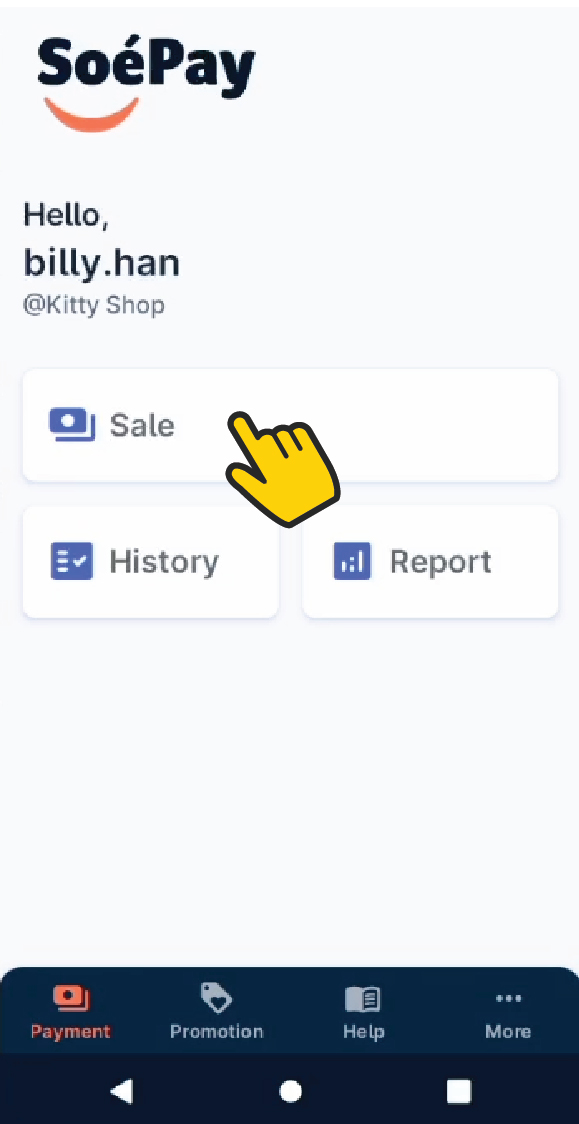
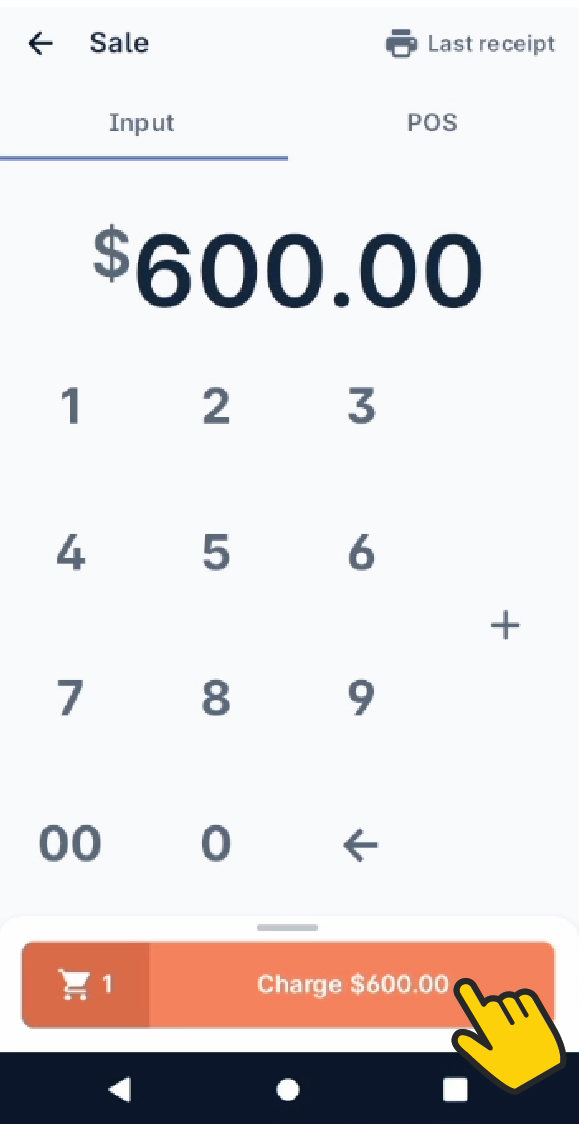
1. Select Sale to start a new transaction.

2. Enter the total amount or item price one by one with.
Then, press Charge.

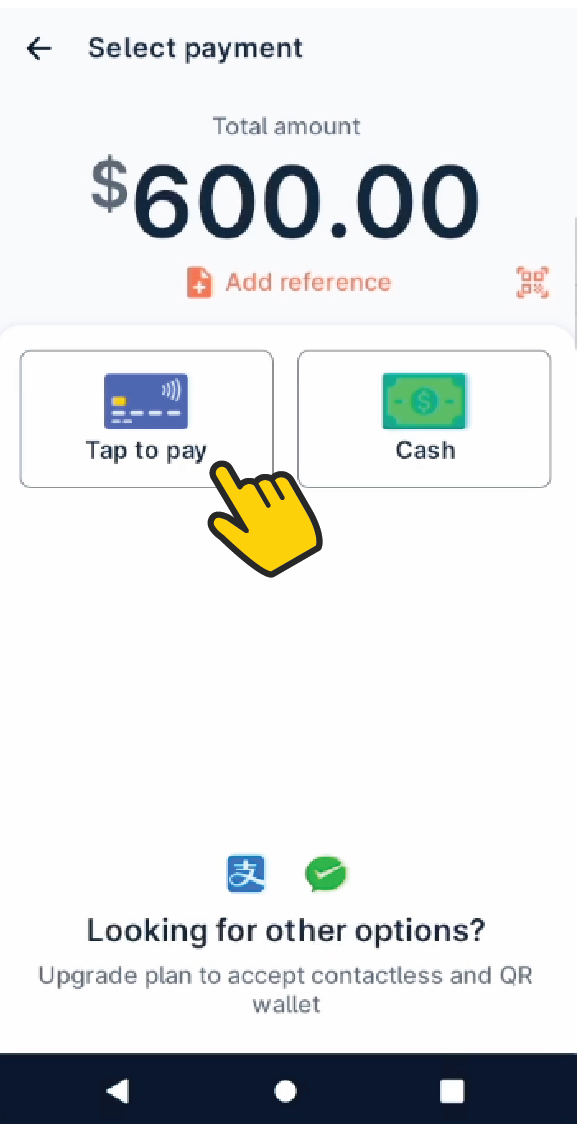
3. Select Tap to Pay .

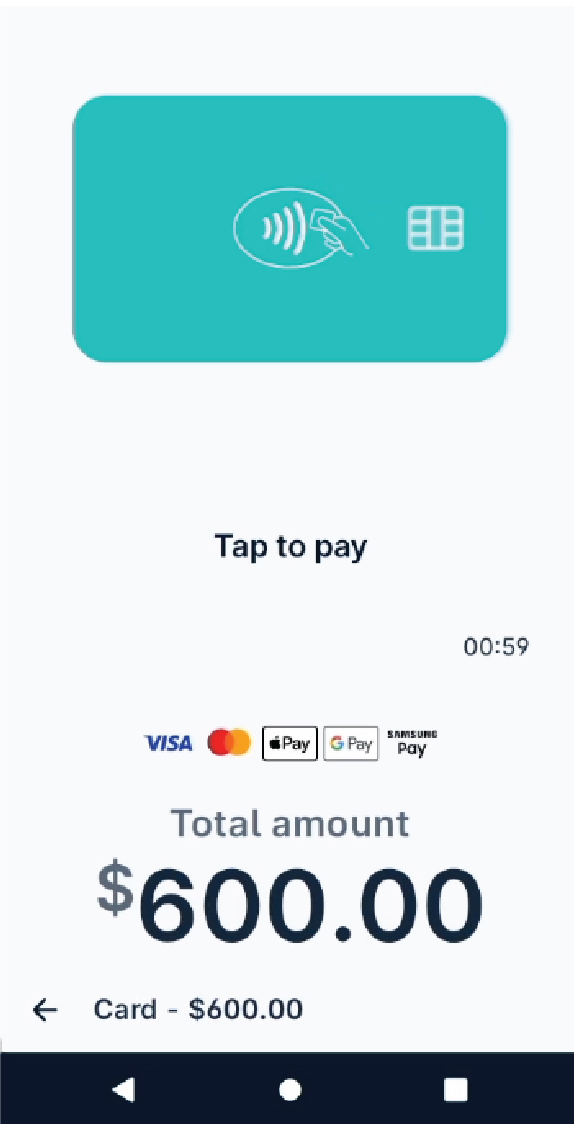
4. Tap the card or mobile wallet to the device’s NFC detection area.

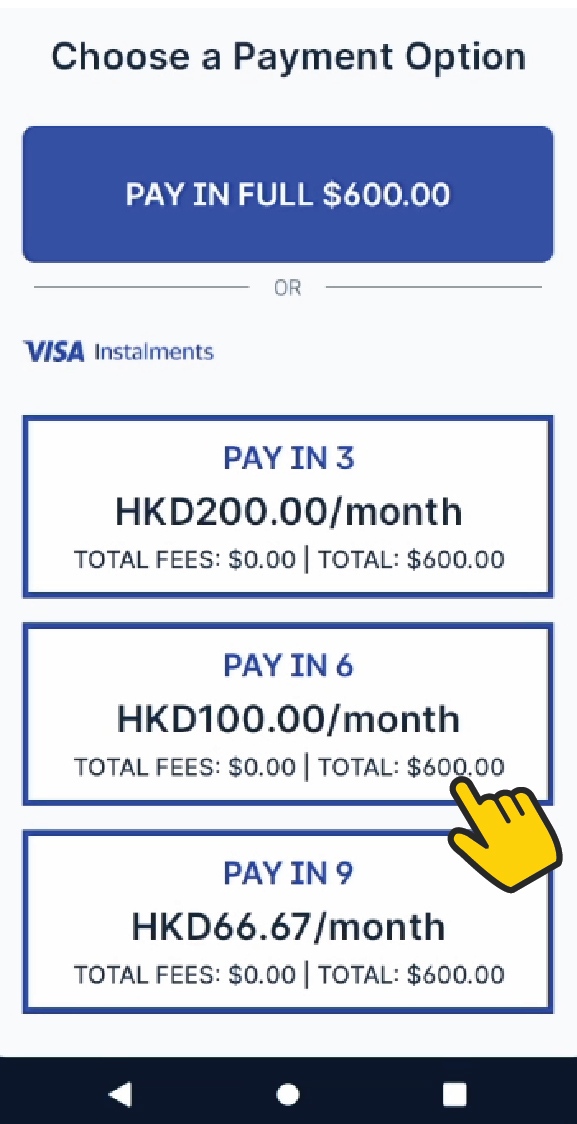
5. Select the instalment plans available.

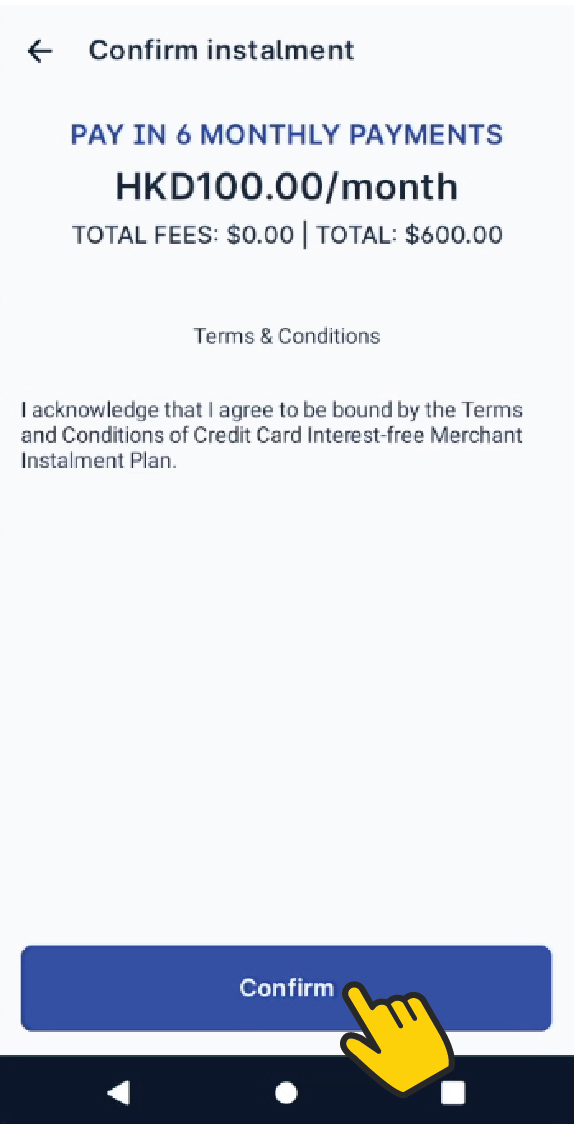
6. Then tap Confirm .

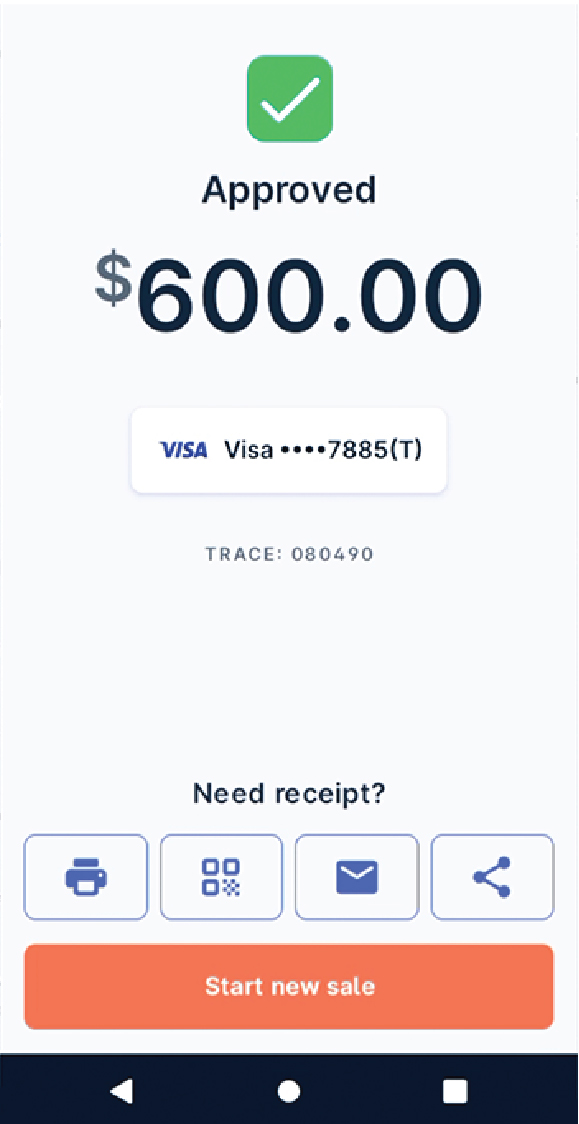
7. Upon completion of the instalment transaction, you will see Approved.
The app will save the receipt copy in the device’s album automatically on every approved transaction. Also, you can issue the receipt by clicking
print
showing the QR code to your customers,
email
or other methods available.
Contact us to activate VISA Instalments payment function!

E-mail | [email protected]
SoéPay WhatsApp | +852 5506 9960
Hotline | +852 2784 2388